MARVIN
THE MOST EFFECTIVE WAY TO PROGRAM WELDING AND SURFACE FINISHING APPLICATIONS
what is MARVIN
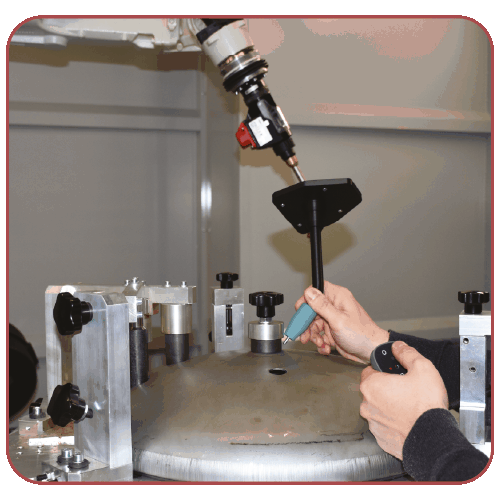
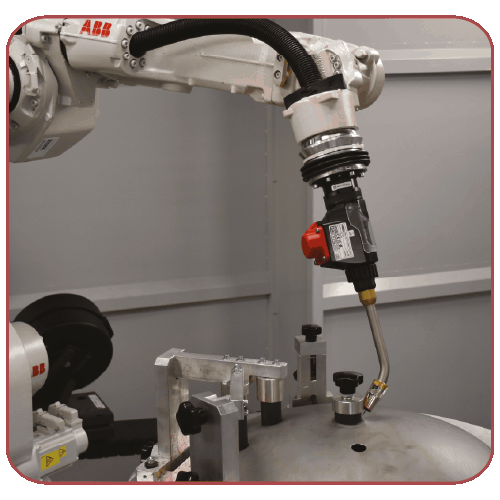
Robot programming often requires significant time, specialized skills, and knowledge of different robot languages. Marvin simplifies this process by allowing operators to demonstrate a manufacturing operation directly on the real workpiece. The recorded motion is then transformed into a robot program, validated in a complete 3D simulation of the workcell, and optimized before production.
Hardware-independent by design, Marvin supports the leading industrial robot brands as well as multiple tracking technologies, making it easy to integrate into existing production environments.


WHY CHOOSE MARVIN
Marvin combines the simplicity of demonstration-based programming with the power and flexibility of industrial robotics.
- Teach the robot instead of programming every movement. Record the operation directly on the real workpiece and transform it into a robot program in minutes.
- Choose the hardware that fits your application. Marvin is compatible with the leading robot brands and multiple tracking technologies, without locking you into a specific ecosystem.
- Validate your process before production. Simulate the complete workcell, check collisions and reachability, and optimize the robot path before deployment.
- Accelerate commissioning while maintaining full flexibility. Manage multiple tools, TCPs, workstations, and external axes within a single programming environment.
what can i do with MARVIN
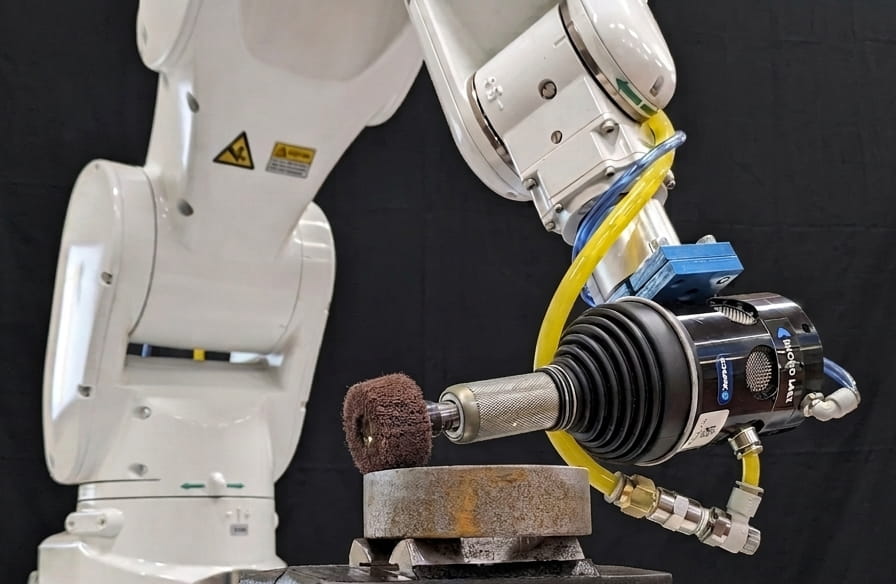
Marvin is ideal for applications where robot paths must follow complex surfaces or frequently change due to product variability.
WELDING
PAINTING
MATERIAL DISPENSING
POLISHING

DEBURRING
SANDBLASTING
HOW TO PROGRAM WITH MARVIN
Step 1
Step 2
Step 3
Prepare the project
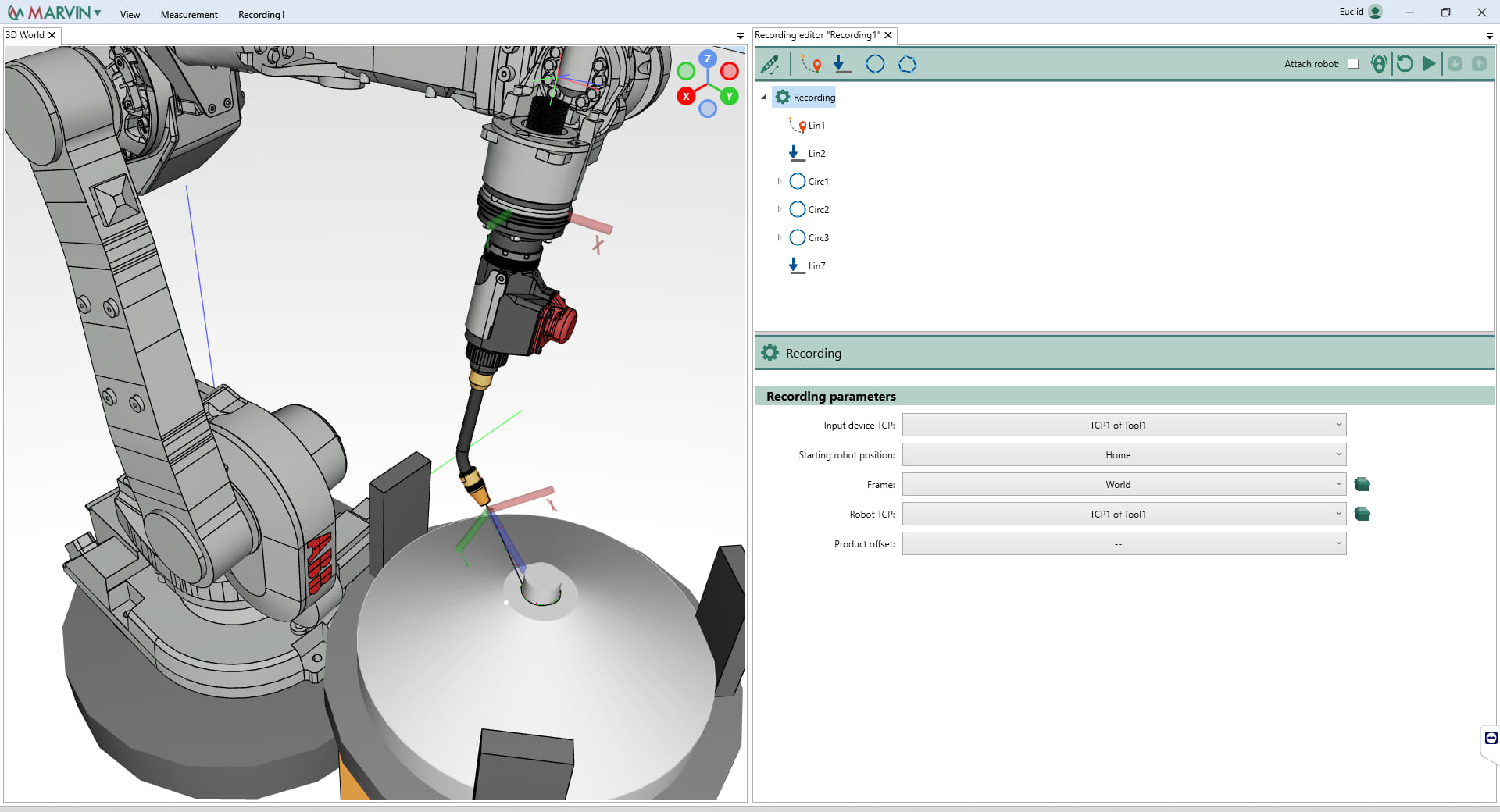
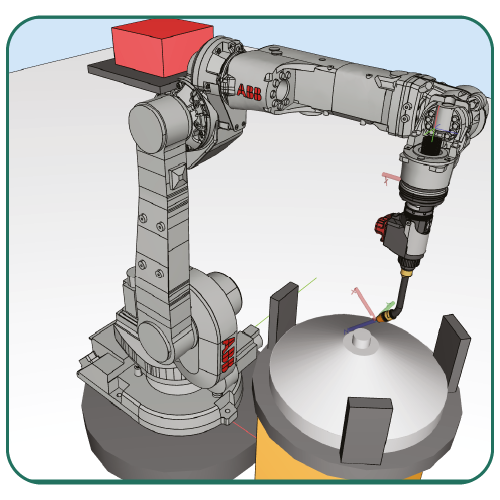
The software interface allows you to recreate and simulate the entire workcell, including the robot, tools, workbench, and external axes, with collision detection available for all cell components.
If CAD models for certain components are not available, Marvin enables you to quickly create simplified geometry directly within the interface, eliminating the need for dedicated CAD software.
For trajectory acquisition, the CAD model of the workpiece is not required, as the teaching process is performed directly on the physical
part.
At this stage, you can also define subroutines and routines, such as switching the welding torch on and off, as well as customize specific commands for each customer, tailoring the robot program to their application requirements.
Record the process trajectory
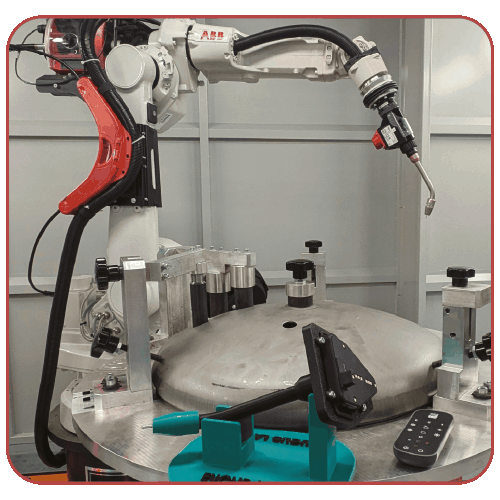
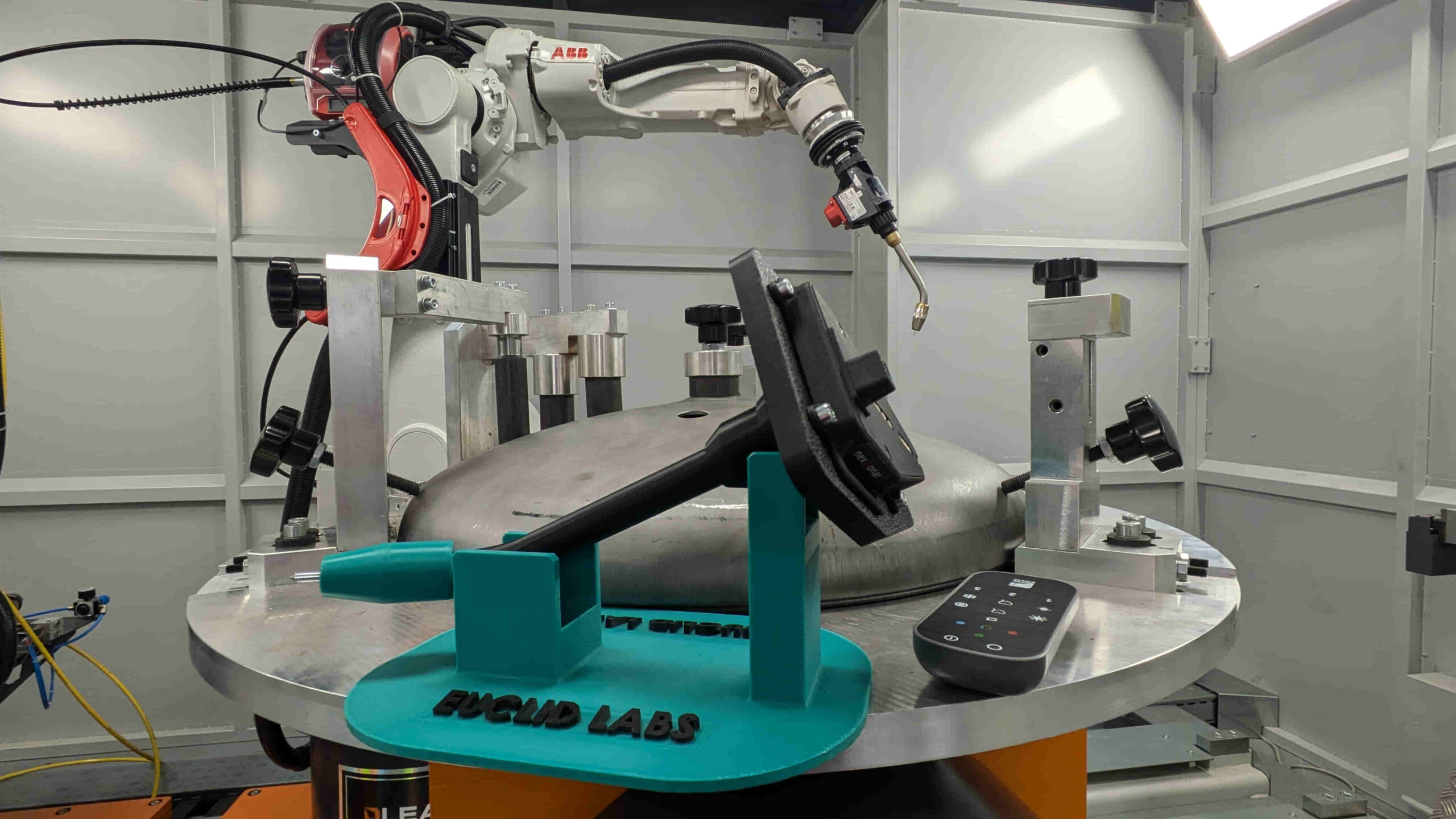
Marvin acquires the position of a physical replica of the process tool in real time. The replica, produced using 3D printing and equipped with a tracking system, accurately reproduces the actual tool used in the manufacturing process.
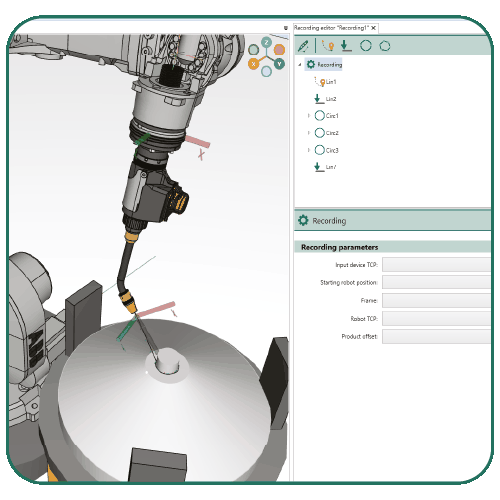
The same replica is faithfully represented within the software’s 3D environment, allowing the operator to visualize the tool’s movement and simulate the process inside a virtual workcell.
Trajectory acquisition can be performed either in continuous mode or point-by-point, depending on the application requirements. The hardware package is modular and adaptable to different processes, with the option of being installed directly on the production machine or on a dedicated teaching station.
Once the trajectory has been acquired, it can be visualized, edited, and validated within the 3D environment.
The operator can modify recorded points, optimize the path, and adjust both motion and process parameters directly from the software interface before the robot program is generated automatically.
Generate the robot program
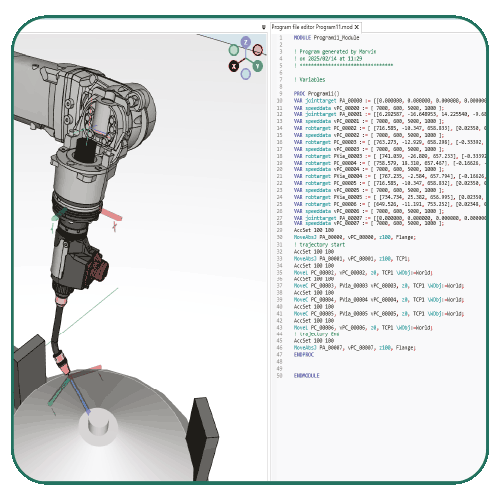
Marvin converts the points acquired during the 3D trajectory acquisition into a robot program, ensuring that the path is reachable and free from collisions between the robot, the tool, and the surrounding environment.
The generated program can be transferred directly to the robot (where supported) or loaded manually via USB. Once uploaded, it behaves like any standard robot program and can be edited and verified directly from the robot teach pendant.
MARVIN ADVANTAGES

Reduced programming time
Quickly automate most processes without the need for advanced programming skills.

100% hardware-independent
Compatible with different tracking devices and major robot brands.

Easy to install and use
The intuitive interface allows even inexperienced operators to create complex programs in just a few steps.

Precision and reliability
Thanks to calibration and collision detection, it ensures accurate and safe paths, improving process quality.

Versatile and adaptable
The operator can easily configure the cell elements and define robot instructions according to the specific requirements of the application.

Advanced external axis management
The software manages robot linear tracks and positioners, including lathes, tilting lathes, and rotary table systems.

Accessibility without compromise
The system offers the ease of programming often sought in cobots, without compromising the performance and robustness of industrial robots, as well as the integration of external axes.
START LEARNING MARVIN WITH ONLINE FREE COURSES
Join our Industrial Robotics community and start learning Marvin at your own pace. Access our online learning platform and discover the software through recorded training courses, practical tutorials, and real application examples. Explore the complete workflow, from path recording to robot program generation, whenever and wherever you want.